No one likes RFPs. You only do them because serious buyers request them, and you don't want to lose a potential customer over paperwork.
So why not automate it?
When you treat RFPs as a revenue checkpoint rather than a paperwork exercise, automation starts working for you. Read on to find out how RFP automation saves time, money, and sanity, and how Slite's tools make it possible without building anything from scratch.
Key takeaways
- RFP automation reuses approved answers with AI matching, so teams stop rewriting the same responses.
- Slite Agent's Ask in Bulk drafts hundreds of answers at once, each with source citations to verify before submitting.
- Accuracy depends on a verified content library, so knowledge maintenance is part of the workflow.
- AI drafts and humans refine, so the goal is faster, consistent responses rather than unattended sending.
- Teams report around 40% time savings, turning multi-day RFPs into same-day submissions.
What is RFP automation?
RFP automation uses AI to streamline proposal responses and make them easier to manage. Instead of copying answers from old docs or digging through shared folders, teams use software to find, reuse, and draft responses from a single system. Most of those answers already exist in your sales documentation, so automation reuses that approved content instead of rewriting it.
It strips out busywork so teams can focus on clarity, accuracy, and fit. This approach extends beyond RFPs. The same systems handle RFIs and security questionnaires , where buyers ask similar questions with slightly different wording.
How RFP automation software works
RFP automation follows a clear workflow that mirrors how teams already work, with much less manual effort. The process runs in five steps:
- Building a centralized RFP content library. Everything starts with a shared knowledge base -- a searchable library that stores approved answers, product details, policies, and company information. Instead of answers scattered across docs and inboxes, they live in a single system that is easy to search and reuse. A robust content library needs built-in verification: document verification features let teams mark content as verified, set review periods, and flag outdated information. Verified documents rank higher in AI search results, ensuring RFP responses draw from the most current, trusted source.
- Using AI to match questions with past answers. When you receive an RFP, the software scans the questions and identifies any you have previously answered. AI analyzes language and intent -- not just exact keywords -- to find the most relevant content. Slite Agent searches across 20+ connected tools including Google Drive, Slack, Notion, Confluence, GitHub, Linear, Jira, HubSpot, and more, finding relevant answers wherever they live in your tech stack.
- Generating draft responses for review. AI uses matched content to create a first draft for each question. This gives your team a strong starting point to review, edit, and adjust to fit the specific customer and context. The time savings come from not starting with a blank page every time.
- Collaborating with subject matter experts. Automated RFP software routes questions to the right experts, like legal, security, or product teams. Each person can review and update their assigned sections without email back-and-forth, keeping everything connected to the main response.
- Managing workflows and deadlines. Built-in reminders and progress tracking reduce last-minute panic and catch issues before submission, resulting in a calmer, more predictable process from start to finish.
Key benefits of RFP automation
RFP automation fixes the everyday pain points that make proposals stressful and hard to scale. Teams see the biggest impact in these areas.
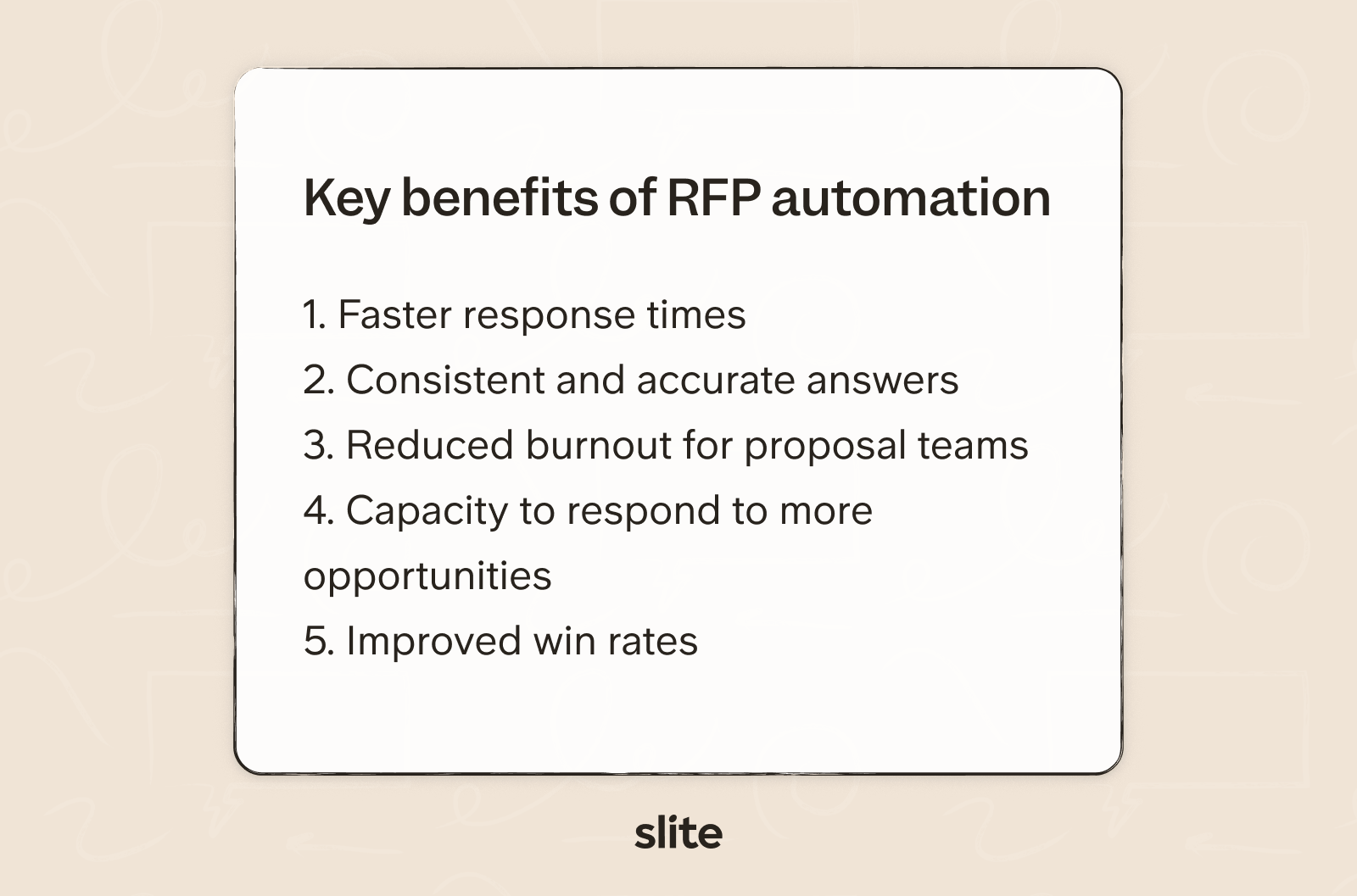
Faster response times
One of the biggest wins with RFP automation is how much it shortens timelines. Instead of moving question by question, teams process large volumes all at once and focus their time on review and customization.
Bulk processing features let you upload entire questionnaires and get draft responses for hundreds of questions simultaneously. That kind of time compression makes tight deadlines far less stressful and keeps momentum high across the team.
Consistent and accurate answers
Speed only matters if the answers are right. RFP automation keeps teams aligned by using approved, shared language rather than relying on individual memory or outdated files.
Consistency starts with verified source content. Verification systems use review cycles and expiration dates to ensure your team always draws from current, approved information. Verified documents build trust across teams and rank higher in AI search results, reducing the risk of outdated answers appearing in proposals.
Reduced burnout for proposal teams
With less time spent on busywork, teams can focus on strategy, tailoring responses, and highlighting what truly sets the company apart. The work becomes more engaging and sustainable over time.
Before Slite, we had thousands of questions in all the Slack channels from sales, marketing, customer success. Since we implemented Slite Agent, that amount of questions has been divided by 10, and it's really amazing because everyone is able to get the information they need,
says Christian Rivera, Director of App Development at GraphXSource.
Capacity to respond to more opportunities
When each RFP takes less effort, teams can handle more of them. Automation lets you scale your response process without adding headcount or overextending your team.
Improved win rates
Faster responses, clearer messaging, and fewer errors all add up. Automation lets teams submit polished, thoughtful proposals that reflect their best work.
Agorapulse achieved a 98-99% success rate on RFP questions after implementing AI-powered automation, replacing a dedicated RFP tool that required 1-2 hour wait times. Their team now answers RFP questions in seconds, keeping momentum strong throughout the sales process. RFP automation is one piece of a wider set of AI sales assistant tools that help revenue teams move faster. Documenting that process in a sales SOP keeps the gains repeatable as the team grows.
When you can respond quickly without sacrificing quality, you gain a real competitive edge in crowded buying processes.
How to automate RFPs using Slite Agent
Slite Agent turns multi-day RFP marathons into same-day wins. Instead of hunting through Slack threads and old documents, you get instant, accurate answers pulled from your entire tech stack, with source citations so you can verify before you submit.
Katerina, an AE at Slite, handles RFPs on a weekly basis.
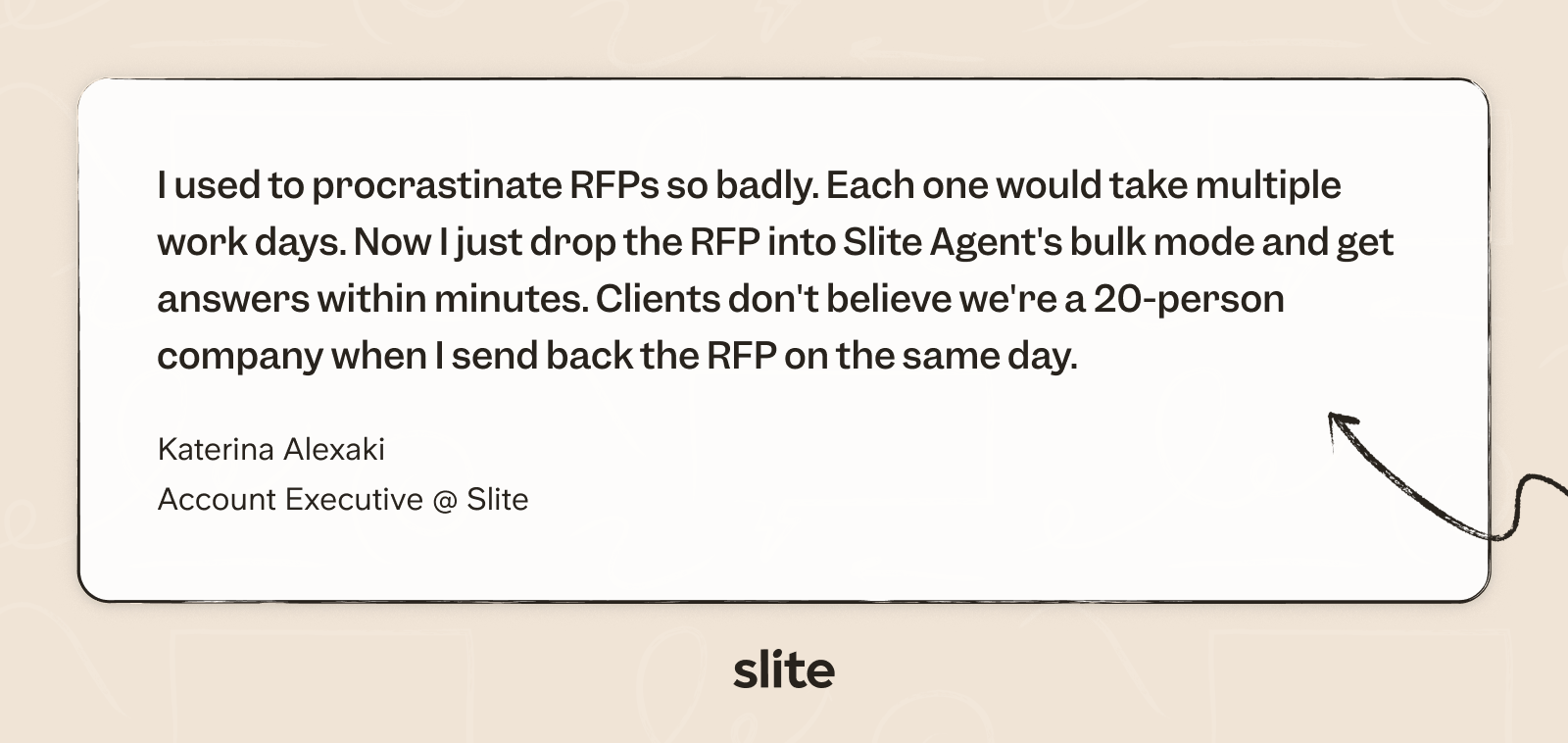
She uses Slite Agent's Ask in Bulk feature for this, and here's how her RFPs look:
Here's how to put it to work.
Connect your data sources
Start by linking Slite Agent to the tools where your company knowledge lives. This includes Google Drive, Slack, Notion, Confluence, GitHub, Linear, Jira, HubSpot, and more. The broader your connections, the more comprehensive your RFP answers become.
Think of this as building your RFP response database without actually building anything. Your existing documentation becomes instantly searchable and ready to power automated responses.
Open Slite Agent to Ask in Bulk
When an RFP lands in your inbox, head to Slite Agent's Ask in Bulk feature. Instead of answering questions one by one, you process hundreds at once.
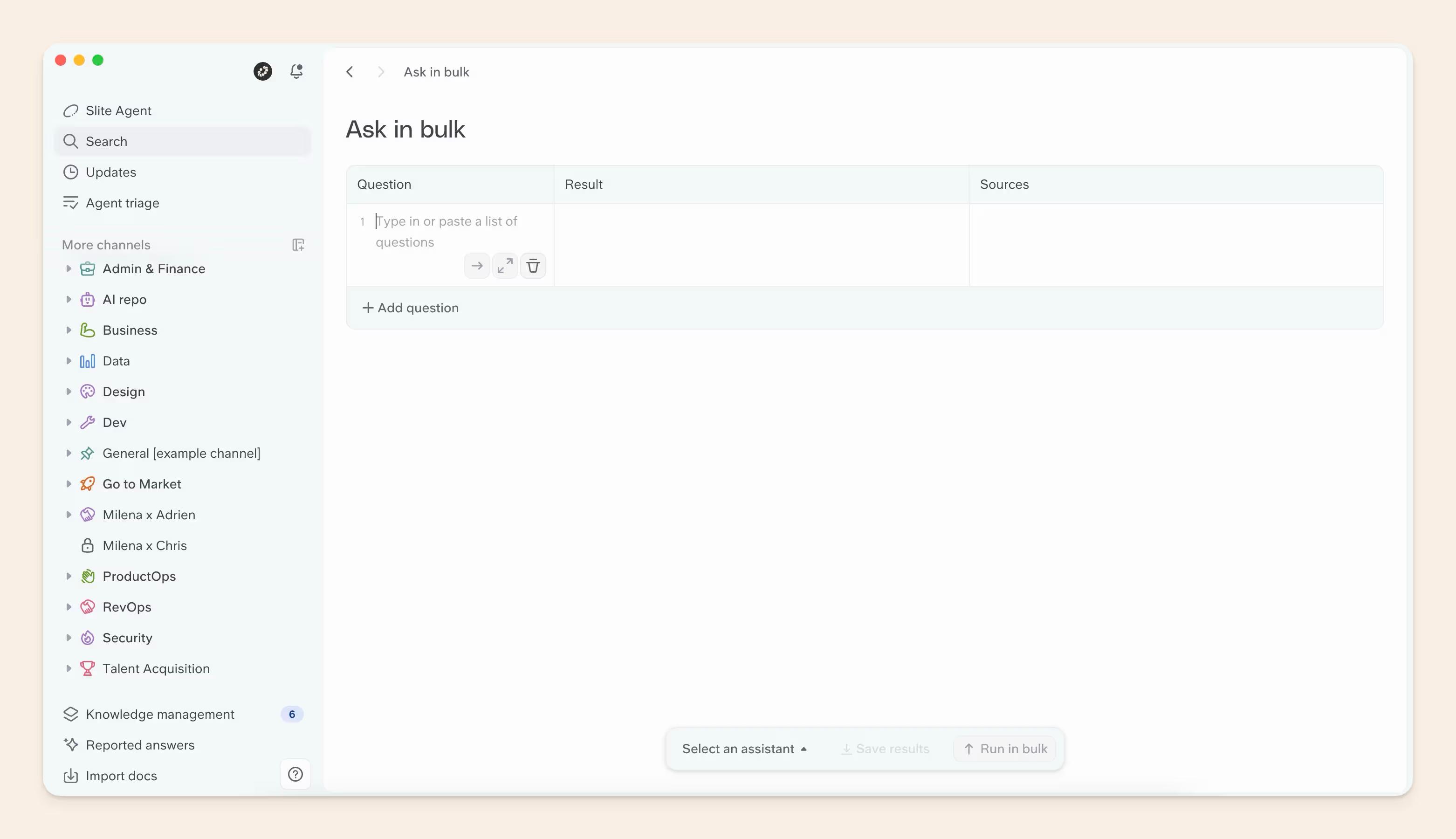
Copy your entire list of questions from the RFP spreadsheet or document and paste them directly into Ask in Bulk. Slite Agent can handle 200+ questions simultaneously, turning what used to be a week-long project into a single work session.
Apply the RFP Filler workflow
Select the RFP Filler workflow to optimize how Slite Agent searches and formats responses. This workflow follows a smart three-step process.
First, it searches your previous RFP responses from the last year (tested, approved answers that have already won deals). Next, if information isn't found in past RFPs, it searches across all your connected company data sources. Finally, it generates professional responses with minimal formatting, ideally under 100 words, ready to paste directly into forms.
Review and refine responses
Run hundreds of questions in under 10 minutes. Slite Agent returns draft answers with source citations for every response, so you can verify accuracy before submission.
The AI flags any questions where information is missing, uncertain, or requires manual review. These warnings appear as callout blocks, making it easy to spot what needs human attention. Focus your time on these outliers rather than starting from scratch on every question.
Export and submit
Once you've reviewed and completed any flagged responses, export the completed RFP in your preferred format. Slite Agent maintains your formatting and keeps everything organized for easy transfer back into the original RFP document.
The result: teams report 40% time savings on RFPs, with some completing 200-question questionnaires in a single day instead of a week. You submit faster, more accurate proposals without the usual stress and back-and-forth.
Ready to automate your next RFP? Book a demo to see Ask in Bulk in action.
Essential features in RFP automation tools
Not all RFP automation tools are built the same. Some focus on drafting answers, others on project tracking, and a few try to do everything at once. The table below shows what to look for and why each feature matters.
| Feature | What it does | Why it matters |
|---|---|---|
| Content library and knowledge management | Stores approved answers, product details, and policies in a searchable library with verification and review cycles | Keeps RFP content accurate and current; verified docs rank higher in AI results, reducing stale-answer risk |
| AI-powered response generation | Uses natural language processing to match questions to relevant answers, even when phrased differently | Speeds up drafting; reduces manual edits; improves over time as your team reviews suggestions |
| Workflow and task management | Assigns questions, sets deadlines, and tracks progress in one place | Catches bottlenecks early; keeps teams aligned as the deadline approaches |
| Team collaboration and permissions | Role-based access so each contributor edits only their section; AI only surfaces content users are authorized to see | Protects sensitive proposal info; prevents unwanted edits or oversharing |
| CRM and tool integrations | Connects to Salesforce, Slack, Google Drive, Microsoft products, and more | Automates the end-to-end process; pulls in customer data without manual transfers |
| Security and compliance certifications | SOC 2, clear data residency policies, and enterprise-grade access controls | Meets buyer and enterprise security expectations; protects sensitive business and legal information |
Companies typically invest 40 hours per RFP response, with an average of 7.3 staff members involved per proposal. Slow responses stall 62% of deals, making speed and accuracy critical competitive advantages. The features above are the difference between a tool that accelerates your process and one that adds more overhead.
Common myths about RFP automation
RFP automation sounds powerful, which is exactly why it is often misunderstood.
A few common myths tend to hold teams back, even when the tools could clearly make a difference.
Automation will replace proposal professionals
RFP automation tools are designed to support people. AI generates first drafts that humans review and refine. The technology removes the tedious hunting through old documents and Slack threads, but human judgment, customization, and relationship-building remain essential.
RFP automation is too expensive for most teams
The best RFP automation software comes in a range of price points. For many teams, the time saved on each proposal quickly offsets the cost. When you factor in faster turnaround, fewer errors, and the ability to respond to more opportunities, the return on investment becomes clear early on.
AI-generated responses cannot be trusted
AI is not meant to send answers on its own. It creates drafts based on your existing, approved content, which humans then review and adjust. Every Slite Agent response includes source citations so your team can verify accuracy before anything goes out. As your source content improves, so does the quality of the suggestions.
Wuffes, a 220-person remote team, achieved a 70% reduction in repetitive questions within six months of implementing AI-powered automation. "The remaining questions are genuinely complex issues that require human judgment. Everything else gets handled automatically," reports their team.
How to choose and implement RFP automation
Rolling out RFP automation works best when it is treated as a process change, not just a tool purchase.
Here is a clear sequence that prevents confusion and delivers value faster:
- Define your RFP volume and complexity. Look at how many RFPs your team handles and how technical or varied the questions are. A small, straightforward pipeline might need basic automation, while large or highly specialized proposals require more robust AI and workflow capabilities.
- Evaluate knowledge management capabilities. The best RFP response software is only as good as the content it draws from. Look for organized, searchable libraries, version control, and content verification features. A solid knowledge management foundation ensures AI suggestions are accurate, current, and consistent.
- Assess AI accuracy and customization options. Ask vendors how their AI handles edge cases, unusual questions, or industry-specific terminology. Look for a system that understands your business language and improves over time, rather than one that gives generic or irrelevant drafts.
- Consider your integration requirements. Identify the systems your team relies on: CRM, file storage, project management, and communication platforms. Make sure your RFP tool can connect with them. Smooth integrations save time and prevent manual data transfers.
- Review security standards and compliance. Check that the software meets your industry's security and compliance requirements. Certifications like SOC 2 and clear data residency policies protect sensitive proposal information and keep your team aligned with enterprise standards.
- Audit your existing RFP content and responses. Gather past proposals, questionnaires, and commonly reused answers. Review what is still accurate, what needs updating, and what should be retired. This audit provides a realistic view of your current content and highlights gaps before automation goes live.
- Organize and centralize your company knowledge. RFP automation depends on having a single source of truth. Slite is built for this -- it acts as a self-maintaining knowledge base, surfacing what needs verification, flagging stale content, and giving your team one place to own, update, and trust your documentation.
- Select and configure your RFP automation tool. With your content foundation in place, evaluate vendors based on ease of use, AI quality, integrations, and security. Once selected, configure content sources, workflows, permissions, and review processes. A thoughtful setup reduces friction later on.
- Train your team on the new response workflow. Automation only works if people trust and use it. Walk the team through the new process, explain how AI drafts should be reviewed, and set clear standards for approvals. Getting early buy-in and feedback smooths the transition and encourages consistent adoption.
- Measure results and continuously improve. Track response times, quality, and team feedback to see what is working. Keep content updated, refine AI suggestions based on real usage, and regularly review your process. Over time, these small improvements compound into a faster, more reliable RFP response workflow.
Ready to build the knowledge foundation that makes RFP automation work?
Slite brings verified documentation and AI-powered search together in one place, so your team and your AI are always working from the same trusted source.
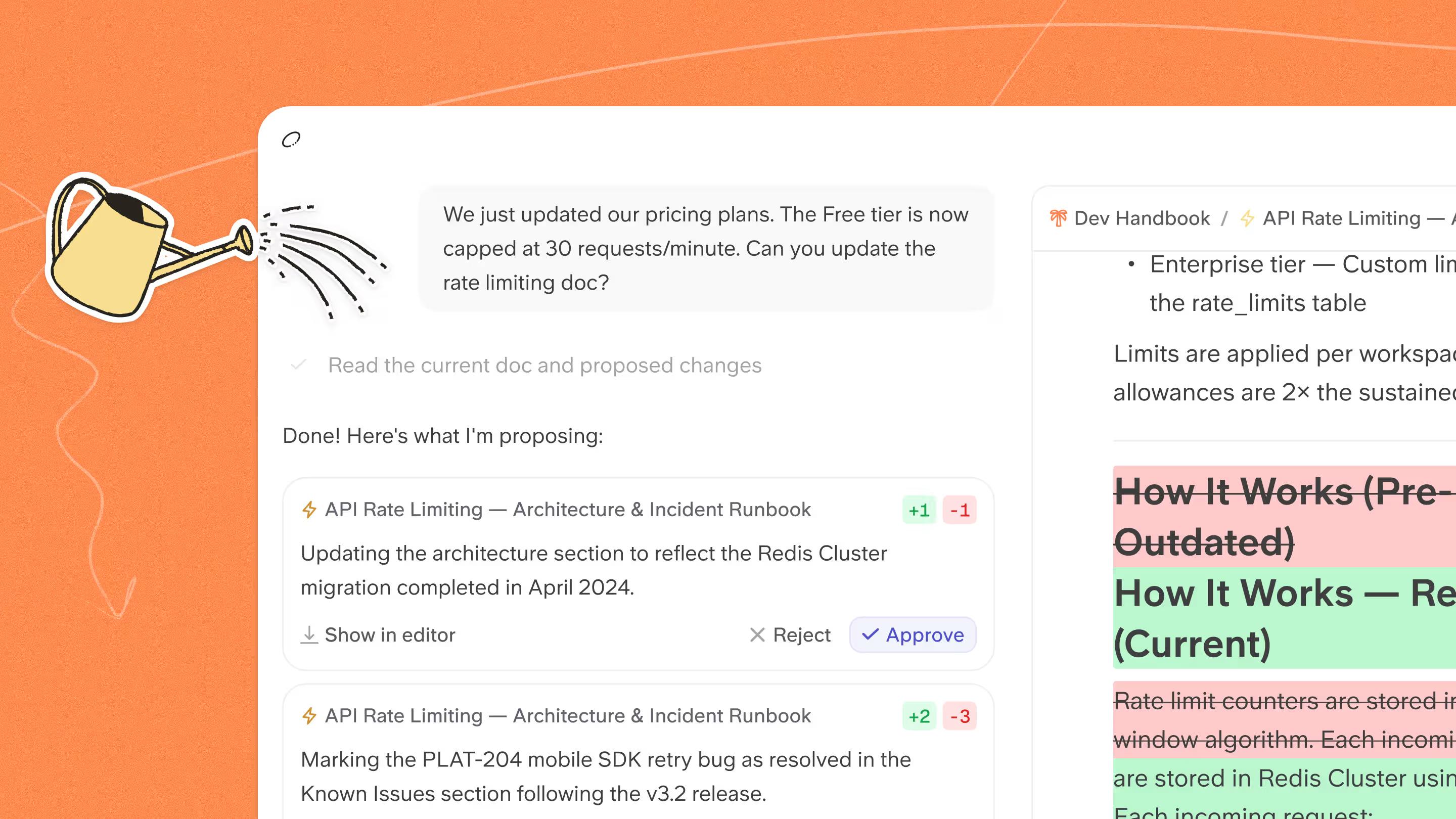
Slite Agent connects 20+ tools across your stack, finds the right answer wherever it lives, and hands your team a draft that is ready to review, not a hallucination to untangle.
Start a 14-day trial or book a demo to see Ask in Bulk in action.
FAQ
Can ChatGPT write an RFP response?
ChatGPT can generate text, but it doesn't have access to your company's specific product details, approved language, or past responses. Purpose-built RFP AI tools connected to your knowledge base and internal data sources produce more accurate and consistent answers.
What is the difference between RFP software and a knowledge base?
RFP software manages the proposal response workflow: assigning questions, generating drafts, tracking progress, and managing submissions. A knowledge base is the system that stores and organizes the company information those tools rely on. Most effective setups use both: a verified knowledge base holds core documentation and approved language, while AI-powered tools surface relevant information from across multiple systems.
How long does it typically take to see results from RFP automation?
Most teams start seeing time savings within the first few proposals after setup. Even early on, automation reduces manual searching and copy-pasting significantly.
Can small teams benefit from RFP automation tools?
Yes. Smaller teams often see some of the biggest gains. Automation multiplies their capacity to respond to more opportunities without hiring additional proposal staff or stretching people thin.
How do you keep RFP response content accurate and current?
Accuracy depends on ongoing maintenance. Regular content reviews, version control, and verification workflows keep your RFP response database reliable. Look for systems with built-in verification where document owners can set review periods and flag outdated content. Knowledge management features surface what needs attention, making it easier to maintain accuracy at scale.
What happens when RFP automation software cannot answer a question?
Good RFP automation tools don't guess. They flag unanswered or low-confidence questions, include source citations so reviewers can check context, and route gaps to the appropriate subject matter expert. This ensures every response gets proper human input and nothing is submitted without review.